

Рендер у світі 26.2
Створіть та використовуйте власний конвеєр рендера коли стандартні конвеєри не підходять.
ПЕРЕДУМОВИ
Переконайтеся, що ви спочатку прочитали концепції рендера. Ця сторінка базується на цих концепціях і обговорює, як рендеряться об’єкти у світі.
На цій сторінці розглядаються деякі більш сучасні концепції рендера. Ви дізнаєтеся більше про дві розділені фази рендера: «вилучення» (або «підготовка») і «малювання» (або «рендер»). У цьому посібнику ми будемо називати фазу «вилучення/підготовки» фазою «вилучення», а фазу «малювання/рендера» — фазою «малювання».
Щоб рендерити власні об'єкти у світі, у вас є два варіанти. Ви можете вставити в наявний стандартний рендер та додати свій код, але це обмежує вас наявними стандартними конвеєрами рендера. Якщо наявні стандартні конвеєри рендера не відповідають вашим потребам, вам потрібен власний конвеєр рендера.
Перш ніж перейти до власних конвеєрів рендера, подивімося на стандартний рендер.
Фази вилучення та малювання
Як згадувалося в концепціях рендера, останні оновлення Minecraft працюють над розділенням рендера на дві фази: «вилучення» та «малювання».
Усі дані, необхідні для рендера, збираються під час фази «вилучення». Це включає, наприклад, доступ до даних світу. Зауважте, що попри те, що багато методів мають префікс draw або render, їх слід викликати під час фази «вилучення». Ви повинні додати всі елементи, які ви хочете рендерити на цьому етапі.
Після завершення фази «вилучення» починається фаза «малювання», і створено буферизований конструктор. Під час цієї фази буферизований конструктор промальовування на екрані. Кінцева мета цього розділення «вилучення» та «малювання» полягає в тому, щоб дозволити малювати попередній кадр паралельно з вилученням наступного кадру, покращуючи продуктивність.
Тепер, пам’ятаючи про ці дві фази, подивімось, як створити власний конвеєр рендера.
Власні конвеєри рендера
Скажімо, ми хочемо рендерити маршрутні точки, які мають з’являтися крізь стіни. Найближчим стандартним конвеєром для цього буде RenderPipelines#DEBUG_FILLED_BOX, але він не буде рендеритися через стіни, тому нам знадобиться спеціальний конвеєр рендера.
Визначення власного конвеєра рендера
Ми визначаємо власний конвеєр рендера в класі:
java
private static final RenderPipeline FILLED_THROUGH_WALLS = RenderPipelines.register(RenderPipeline.builder(RenderPipelines.DEBUG_FILLED_SNIPPET)
		.withLocation(Identifier.fromNamespaceAndPath(ExampleMod.MOD_ID, "pipeline/debug_filled_box_through_walls"))
		.withDepthStencilState(Optional.empty())
		.build()
);Фаза вилучення
Спочатку ми реалізуємо фазу «вилучення». Ми можемо викликати цей метод під час фази «вилучення», щоб додати маршрутну точку для рендера.
java
private WaypointRenderState waypointState;

private void extractWaypoint(LevelExtractionContext context) {
	// Access data from the world or anything here in the extraction phase.
	// You can only access the (immutable and thread safe) render state in the drawing phase.
	this.waypointState = new WaypointRenderState(0, 100, 0, 0f, 1f, 0f, 0.5f);
}

// Render states should be immutable, thread safe, and fast to create.
private record WaypointRenderState(int x, int y, int z, float r, float g, float b, float a) { }Якщо ви хочете рендерити кілька маршрутних точок, змініть waypointState на список і додайте кілька станів рендера маршрутних точок. Переконайтеся, що ви робите це під час фази «вилучення», ПЕРЕД початком фази «малювання», на якій будується конструктор буферів.
Стани рендера
Зауважте, що у наведеному вище коді ми зберігаємо WaypointRenderState у полі. Це тому, що нам це потрібно на етапі «малювання». У цьому випадку WaypointRenderState — це наш «стан рендера» або «видобуті дані». Якщо вам потрібні додаткові дані (тобто зі світу) під час фази «малювання», ви повинні додати їх до свого спеціального класу стану рендера.
Фаза малювання
Тепер ми реалізуємо етап «малювання». Це слід викликати після того, як усі маршрутні точки, які ви хочете рендерити, були додані до waypointState під час фази «вилучення».
java
private static final Vector4f COLOR_MODULATOR = new Vector4f(1f, 1f, 1f, 1f);
private static final Vector3f MODEL_OFFSET = new Vector3f();
private static final Matrix4f TEXTURE_MATRIX = new Matrix4f();
private static final StagedVertexBuffer stagedBuffer = new StagedVertexBuffer(() -> "Waypoints Buffer", RenderType.SMALL_BUFFER_SIZE);

private void renderAndDrawWaypoint(LevelRenderContext context) {
	RenderPipeline renderPipeline = CustomRenderPipeline.FILLED_THROUGH_WALLS;
	VertexFormat formatBinding = renderPipeline.getVertexFormatBinding(0);

	assert formatBinding != null;

	PrimitiveTopology primitive = renderPipeline.getPrimitiveTopology();
	StagedVertexBuffer.Draw draw = stagedBuffer.appendDraw(formatBinding, primitive, primitive == PrimitiveTopology.QUADS ? RenderSystem.getProjectionType().vertexSorting() : null);

	this.renderWaypoint(context, draw);

	stagedBuffer.upload();

	StagedVertexBuffer.ExecuteInfo info = stagedBuffer.getExecuteInfo(draw);

	if (info != null) {
		draw(Minecraft.getInstance(), info, renderPipeline);
	}

	stagedBuffer.endFrame();
}

private void renderWaypoint(LevelRenderContext context, StagedVertexBuffer.Draw draw) {
	PoseStack matrices = context.poseStack();
	Vec3 camera = context.levelState().cameraRenderState.pos;

	matrices.pushPose();
	matrices.translate(-camera.x, -camera.y, -camera.z);

	final var builder = stagedBuffer.getVertexBuilder(draw);

	this.renderFilledBox(matrices.last().pose(), builder, this.waypointState.x(), this.waypointState.y(), this.waypointState.z(), this.waypointState.x() + 1, this.waypointState.y() + 1, this.waypointState.z() + 1, this.waypointState.r(), this.waypointState.g(), this.waypointState.b(), this.waypointState.a());

	matrices.popPose();
}

private void renderFilledBox(Matrix4fc positionMatrix, VertexConsumer buffer, float minX, float minY, float minZ, float maxX, float maxY, float maxZ, float red, float green, float blue, float alpha) {
	// Front Face
	buffer.addVertex(positionMatrix, minX, minY, maxZ).setColor(red, green, blue, alpha);
	buffer.addVertex(positionMatrix, maxX, minY, maxZ).setColor(red, green, blue, alpha);
	buffer.addVertex(positionMatrix, maxX, maxY, maxZ).setColor(red, green, blue, alpha);
	buffer.addVertex(positionMatrix, minX, maxY, maxZ).setColor(red, green, blue, alpha);

	// Back face
	buffer.addVertex(positionMatrix, maxX, minY, minZ).setColor(red, green, blue, alpha);
	buffer.addVertex(positionMatrix, minX, minY, minZ).setColor(red, green, blue, alpha);
	buffer.addVertex(positionMatrix, minX, maxY, minZ).setColor(red, green, blue, alpha);
	buffer.addVertex(positionMatrix, maxX, maxY, minZ).setColor(red, green, blue, alpha);

	// Left face
	buffer.addVertex(positionMatrix, minX, minY, minZ).setColor(red, green, blue, alpha);
	buffer.addVertex(positionMatrix, minX, minY, maxZ).setColor(red, green, blue, alpha);
	buffer.addVertex(positionMatrix, minX, maxY, maxZ).setColor(red, green, blue, alpha);
	buffer.addVertex(positionMatrix, minX, maxY, minZ).setColor(red, green, blue, alpha);

	// Right face
	buffer.addVertex(positionMatrix, maxX, minY, maxZ).setColor(red, green, blue, alpha);
	buffer.addVertex(positionMatrix, maxX, minY, minZ).setColor(red, green, blue, alpha);
	buffer.addVertex(positionMatrix, maxX, maxY, minZ).setColor(red, green, blue, alpha);
	buffer.addVertex(positionMatrix, maxX, maxY, maxZ).setColor(red, green, blue, alpha);

	// Top face
	buffer.addVertex(positionMatrix, minX, maxY, maxZ).setColor(red, green, blue, alpha);
	buffer.addVertex(positionMatrix, maxX, maxY, maxZ).setColor(red, green, blue, alpha);
	buffer.addVertex(positionMatrix, maxX, maxY, minZ).setColor(red, green, blue, alpha);
	buffer.addVertex(positionMatrix, minX, maxY, minZ).setColor(red, green, blue, alpha);

	// Bottom face
	buffer.addVertex(positionMatrix, minX, minY, minZ).setColor(red, green, blue, alpha);
	buffer.addVertex(positionMatrix, maxX, minY, minZ).setColor(red, green, blue, alpha);
	buffer.addVertex(positionMatrix, maxX, minY, maxZ).setColor(red, green, blue, alpha);
	buffer.addVertex(positionMatrix, minX, minY, maxZ).setColor(red, green, blue, alpha);
}

private static void draw(Minecraft client, StagedVertexBuffer.ExecuteInfo info, RenderPipeline pipeline) {
	GpuBufferSlice dynamicTransforms = RenderSystem.getDynamicUniforms()
			.writeTransform(RenderSystem.getModelViewMatrixCopy(), COLOR_MODULATOR, MODEL_OFFSET, TEXTURE_MATRIX);

	RenderTarget mainTarget = client.gameRenderer.mainRenderTarget();
	GpuTextureView colorTexture = mainTarget.getColorTextureView();

	assert colorTexture != null;

	try (RenderPass renderPass = RenderSystem.getDevice()
			.createCommandEncoder()
			.createRenderPass(() -> ExampleMod.MOD_ID + " example render pipeline rendering", colorTexture, Optional.empty(), mainTarget.getDepthTextureView(), OptionalDouble.empty())) {
		renderPass.setPipeline(pipeline);

		RenderSystem.bindDefaultUniforms(renderPass);
		renderPass.setUniform("DynamicTransforms", dynamicTransforms);

		// Bind texture if applicable:
		// Sampler0 is used for texture inputs in vertices
		// renderPass.bindTexture("Sampler0", textureSetup.texure0(), textureSetup.sampler0());

		renderPass.setVertexBuffer(0, info.vertexBuffer().slice());
		renderPass.setIndexBuffer(info.indexBuffer(), info.indexType());

		// The base vertex is the starting index when we copied the data into the vertex buffer divided by vertex size
		renderPass.drawIndexed(info.indexCount(), 1, info.firstIndex(), info.baseVertex(), 0);
	}
}Зауважте, що розмір, який використовується в конструкторі StagedVertexBuffer, залежить від конвеєра рендера, який ви використовуєте. У нашому випадку це RenderType.SMALL_BUFFER_SIZE.
Очищення
Нарешті, нам потрібно очистити ресурси, коли ігровий рендер закінчено. GameRenderer#close має викликати цей метод, і для цього вам наразі потрібно вставити в GameRenderer#close за допомогою міксина.
java
public static void close() {
	stagedBuffer.close();
}java
package com.example.docs.mixin.client;

import org.spongepowered.asm.mixin.Mixin;
import org.spongepowered.asm.mixin.injection.At;
import org.spongepowered.asm.mixin.injection.Inject;
import org.spongepowered.asm.mixin.injection.callback.CallbackInfo;

import net.minecraft.client.renderer.GameRenderer;

import com.example.docs.rendering.CustomRenderPipeline;

@Mixin(GameRenderer.class)
public class GameRendererMixin {
	@Inject(method = "close", at = @At("RETURN"))
	private void onGameRendererClose(CallbackInfo ci) {
		CustomRenderPipeline.close();
	}
}Остаточний код
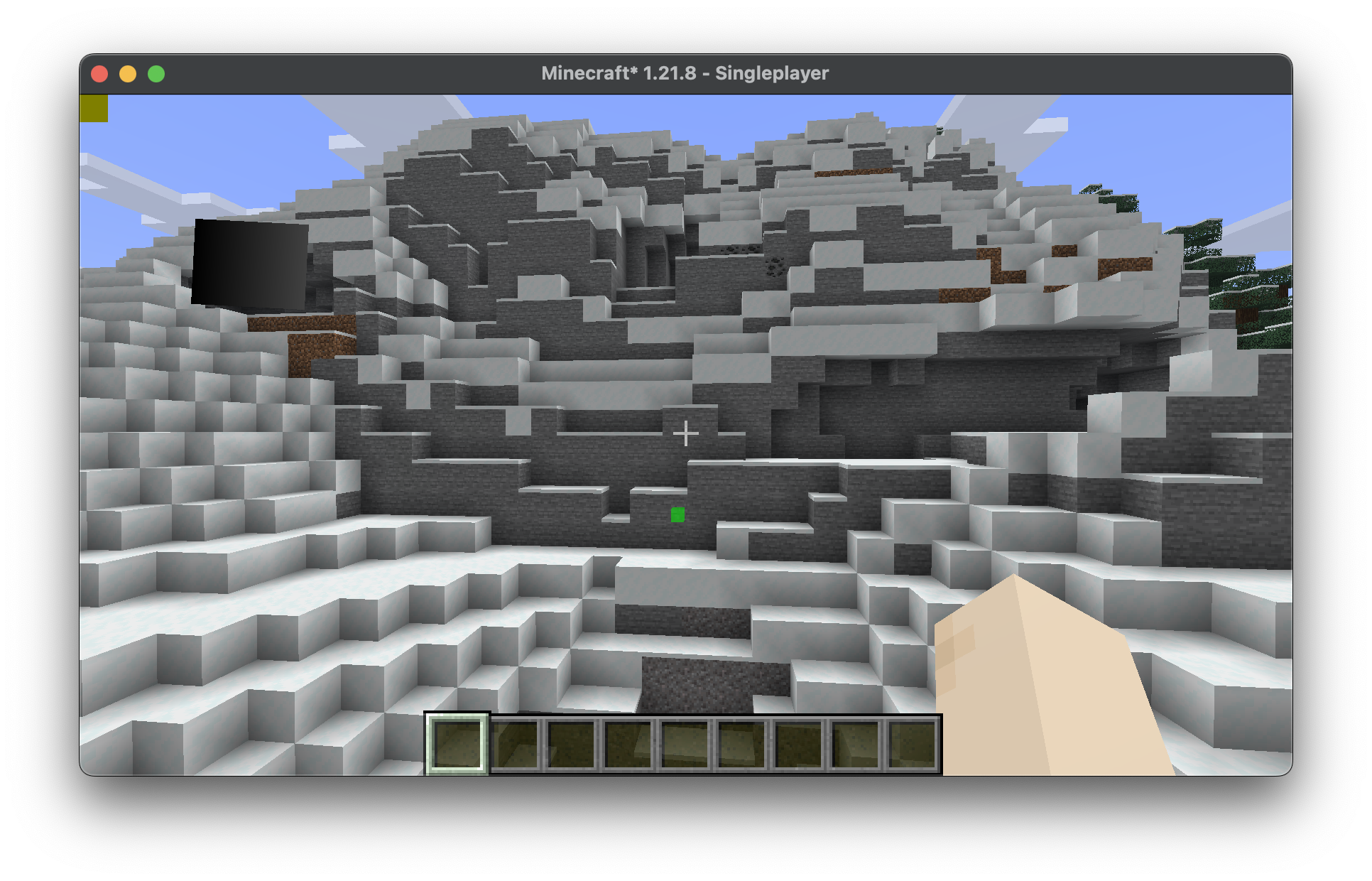
Об'єднавши всі описані вище кроки, ми отримаємо простий клас, який рендерить маршрутну точку на (0, 100, 0) через стіни.
java
package com.example.docs.rendering;

import java.util.Optional;
import java.util.OptionalDouble;

import com.mojang.blaze3d.PrimitiveTopology;
import com.mojang.blaze3d.buffers.GpuBufferSlice;
import com.mojang.blaze3d.pipeline.RenderPipeline;
import com.mojang.blaze3d.pipeline.RenderTarget;
import com.mojang.blaze3d.systems.RenderPass;
import com.mojang.blaze3d.systems.RenderSystem;
import com.mojang.blaze3d.textures.GpuTextureView;
import com.mojang.blaze3d.vertex.PoseStack;
import com.mojang.blaze3d.vertex.VertexConsumer;
import com.mojang.blaze3d.vertex.VertexFormat;
import org.joml.Matrix4f;
import org.joml.Matrix4fc;
import org.joml.Vector3f;
import org.joml.Vector4f;

import net.minecraft.client.Minecraft;
import net.minecraft.client.renderer.RenderPipelines;
import net.minecraft.client.renderer.StagedVertexBuffer;
import net.minecraft.client.renderer.rendertype.RenderType;
import net.minecraft.resources.Identifier;
import net.minecraft.world.phys.Vec3;

import net.fabricmc.api.ClientModInitializer;
import net.fabricmc.fabric.api.client.rendering.v1.level.LevelExtractionContext;
import net.fabricmc.fabric.api.client.rendering.v1.level.LevelExtractionEvents;
import net.fabricmc.fabric.api.client.rendering.v1.level.LevelRenderContext;
import net.fabricmc.fabric.api.client.rendering.v1.level.LevelRenderEvents;

import com.example.docs.ExampleMod;

public class CustomRenderPipeline implements ClientModInitializer {
	private static final RenderPipeline FILLED_THROUGH_WALLS = RenderPipelines.register(RenderPipeline.builder(RenderPipelines.DEBUG_FILLED_SNIPPET)
			.withLocation(Identifier.fromNamespaceAndPath(ExampleMod.MOD_ID, "pipeline/debug_filled_box_through_walls"))
			.withDepthStencilState(Optional.empty())
			.build()
	);
	private WaypointRenderState waypointState;

	private static final Vector4f COLOR_MODULATOR = new Vector4f(1f, 1f, 1f, 1f);
	private static final Vector3f MODEL_OFFSET = new Vector3f();
	private static final Matrix4f TEXTURE_MATRIX = new Matrix4f();
	private static final StagedVertexBuffer stagedBuffer = new StagedVertexBuffer(() -> "Waypoints Buffer", RenderType.SMALL_BUFFER_SIZE);


	@Override
	public void onInitializeClient() {
		LevelExtractionEvents.END_EXTRACTION.register(this::extractWaypoint);
		LevelRenderEvents.AFTER_TRANSLUCENT_TERRAIN.register(this::renderAndDrawWaypoint);
	}

	private void extractWaypoint(LevelExtractionContext context) {
		// Access data from the world or anything here in the extraction phase.
		// You can only access the (immutable and thread safe) render state in the drawing phase.
		this.waypointState = new WaypointRenderState(0, 100, 0, 0f, 1f, 0f, 0.5f);
	}

	private void renderAndDrawWaypoint(LevelRenderContext context) {
		RenderPipeline renderPipeline = CustomRenderPipeline.FILLED_THROUGH_WALLS;
		VertexFormat formatBinding = renderPipeline.getVertexFormatBinding(0);

		assert formatBinding != null;

		PrimitiveTopology primitive = renderPipeline.getPrimitiveTopology();
		StagedVertexBuffer.Draw draw = stagedBuffer.appendDraw(formatBinding, primitive, primitive == PrimitiveTopology.QUADS ? RenderSystem.getProjectionType().vertexSorting() : null);

		this.renderWaypoint(context, draw);

		stagedBuffer.upload();

		StagedVertexBuffer.ExecuteInfo info = stagedBuffer.getExecuteInfo(draw);

		if (info != null) {
			draw(Minecraft.getInstance(), info, renderPipeline);
		}

		stagedBuffer.endFrame();
	}

	private void renderWaypoint(LevelRenderContext context, StagedVertexBuffer.Draw draw) {
		PoseStack matrices = context.poseStack();
		Vec3 camera = context.levelState().cameraRenderState.pos;

		matrices.pushPose();
		matrices.translate(-camera.x, -camera.y, -camera.z);

		final var builder = stagedBuffer.getVertexBuilder(draw);

		this.renderFilledBox(matrices.last().pose(), builder, this.waypointState.x(), this.waypointState.y(), this.waypointState.z(), this.waypointState.x() + 1, this.waypointState.y() + 1, this.waypointState.z() + 1, this.waypointState.r(), this.waypointState.g(), this.waypointState.b(), this.waypointState.a());

		matrices.popPose();
	}

	private void renderFilledBox(Matrix4fc positionMatrix, VertexConsumer buffer, float minX, float minY, float minZ, float maxX, float maxY, float maxZ, float red, float green, float blue, float alpha) {
		// Front Face
		buffer.addVertex(positionMatrix, minX, minY, maxZ).setColor(red, green, blue, alpha);
		buffer.addVertex(positionMatrix, maxX, minY, maxZ).setColor(red, green, blue, alpha);
		buffer.addVertex(positionMatrix, maxX, maxY, maxZ).setColor(red, green, blue, alpha);
		buffer.addVertex(positionMatrix, minX, maxY, maxZ).setColor(red, green, blue, alpha);

		// Back face
		buffer.addVertex(positionMatrix, maxX, minY, minZ).setColor(red, green, blue, alpha);
		buffer.addVertex(positionMatrix, minX, minY, minZ).setColor(red, green, blue, alpha);
		buffer.addVertex(positionMatrix, minX, maxY, minZ).setColor(red, green, blue, alpha);
		buffer.addVertex(positionMatrix, maxX, maxY, minZ).setColor(red, green, blue, alpha);

		// Left face
		buffer.addVertex(positionMatrix, minX, minY, minZ).setColor(red, green, blue, alpha);
		buffer.addVertex(positionMatrix, minX, minY, maxZ).setColor(red, green, blue, alpha);
		buffer.addVertex(positionMatrix, minX, maxY, maxZ).setColor(red, green, blue, alpha);
		buffer.addVertex(positionMatrix, minX, maxY, minZ).setColor(red, green, blue, alpha);

		// Right face
		buffer.addVertex(positionMatrix, maxX, minY, maxZ).setColor(red, green, blue, alpha);
		buffer.addVertex(positionMatrix, maxX, minY, minZ).setColor(red, green, blue, alpha);
		buffer.addVertex(positionMatrix, maxX, maxY, minZ).setColor(red, green, blue, alpha);
		buffer.addVertex(positionMatrix, maxX, maxY, maxZ).setColor(red, green, blue, alpha);

		// Top face
		buffer.addVertex(positionMatrix, minX, maxY, maxZ).setColor(red, green, blue, alpha);
		buffer.addVertex(positionMatrix, maxX, maxY, maxZ).setColor(red, green, blue, alpha);
		buffer.addVertex(positionMatrix, maxX, maxY, minZ).setColor(red, green, blue, alpha);
		buffer.addVertex(positionMatrix, minX, maxY, minZ).setColor(red, green, blue, alpha);

		// Bottom face
		buffer.addVertex(positionMatrix, minX, minY, minZ).setColor(red, green, blue, alpha);
		buffer.addVertex(positionMatrix, maxX, minY, minZ).setColor(red, green, blue, alpha);
		buffer.addVertex(positionMatrix, maxX, minY, maxZ).setColor(red, green, blue, alpha);
		buffer.addVertex(positionMatrix, minX, minY, maxZ).setColor(red, green, blue, alpha);
	}

	private static void draw(Minecraft client, StagedVertexBuffer.ExecuteInfo info, RenderPipeline pipeline) {
		GpuBufferSlice dynamicTransforms = RenderSystem.getDynamicUniforms()
				.writeTransform(RenderSystem.getModelViewMatrixCopy(), COLOR_MODULATOR, MODEL_OFFSET, TEXTURE_MATRIX);

		RenderTarget mainTarget = client.gameRenderer.mainRenderTarget();
		GpuTextureView colorTexture = mainTarget.getColorTextureView();

		assert colorTexture != null;

		try (RenderPass renderPass = RenderSystem.getDevice()
				.createCommandEncoder()
				.createRenderPass(() -> ExampleMod.MOD_ID + " example render pipeline rendering", colorTexture, Optional.empty(), mainTarget.getDepthTextureView(), OptionalDouble.empty())) {
			renderPass.setPipeline(pipeline);

			RenderSystem.bindDefaultUniforms(renderPass);
			renderPass.setUniform("DynamicTransforms", dynamicTransforms);

			// Bind texture if applicable:
			// Sampler0 is used for texture inputs in vertices
			// renderPass.bindTexture("Sampler0", textureSetup.texure0(), textureSetup.sampler0());

			renderPass.setVertexBuffer(0, info.vertexBuffer().slice());
			renderPass.setIndexBuffer(info.indexBuffer(), info.indexType());

			// The base vertex is the starting index when we copied the data into the vertex buffer divided by vertex size
			renderPass.drawIndexed(info.indexCount(), 1, info.firstIndex(), info.baseVertex(), 0);
		}
	}

	public static void close() {
		stagedBuffer.close();
	}

	// Render states should be immutable, thread safe, and fast to create.
	private record WaypointRenderState(int x, int y, int z, float r, float g, float b, float a) { }
}Не забудьте також про GameRendererMixin! Ось результат: