

Рендеринг в мире (Rendering in the World) 26.2
Создавайте собственные конвейеры рендеринга, если стандартные вам не подходят.
ТРЕБОВАНИЯ
Перед началом обязательно прочитайте Rendering Concepts. Эта страница опирается на изложенные там идеи и объясняет, как рендерить объекты в мире.
Здесь рассматриваются современные концепции рендеринга. Вы узнаете о двух разделённых фазах рендеринга — «извлечение» (или подготовка) и «отрисовка» (рендеринг). В этом руководстве мы будем использовать термины фаза извлечения (extraction) и фаза отрисовки (drawing).
Чтобы отрендерить собственные объекты в мире, есть два варианта. Внедриться в существующий ванильный рендеринг и добавить свой код (но это ограничит тебя существующими конвейерами рендеринга). Если стандартные конвейеры рендеринга вам не подходят, создайте свой собственный.
Перед тем как перейти к созданию собственных конвейеров рендеринга, посмотрим, как работает стандартный (ванильный) рендеринг.
Фазы извлечения и отрисовки
Как упоминалось в Rendering Concepts, в последних версиях Minecraft процесс рендеринга разделяется на две фазы: извлечение (extraction) и отрисовка (drawing).
Во время фазы извлечения собираются все данные, необходимые для рендеринга. Оно включает, например, доступ к данным мира. Даже если метод начинается с draw или render, он всё равно должен вызываться во время фазы извлечения. Именно на этом этапе нужно добавлять все элементы, которые ты хочешь отрисовать.
Когда фаза извлечения завершена, начинается фаза отрисовки, в которой собранный буфер строится и выводится на экран. Во время этой фазы содержимое буфера выводится на экран. Цель разделения этих фаз — позволить игре отрисовывать предыдущий кадр параллельно с подготовкой следующего, повышая производительность.
Теперь, понимая эти две фазы, перейдём к созданию собственного конвейера рендеринга.
Пользовательские конвейеры рендеринга
Предположим, мы хотим отрендерить точки (waypoints), которые должны быть видны сквозь стены. Ближе всего к этому подходит ванильный конвейер RenderPipelines#DEBUG_FILLED_BOX, но он не рендерит сквозь стены, поэтому нужно создать свой.
Определение пользовательского конвейера
Создаём класс, определяющий наш конвейер рендеринга:
java
private static final RenderPipeline FILLED_THROUGH_WALLS = RenderPipelines.register(RenderPipeline.builder(RenderPipelines.DEBUG_FILLED_SNIPPET)
		.withLocation(Identifier.fromNamespaceAndPath(ExampleMod.MOD_ID, "pipeline/debug_filled_box_through_walls"))
		.withDepthStencilState(Optional.empty())
		.build()
);Фаза извлечения
Реализуем фазу извлечения. Эта часть кода вызывается во время фазы извлечения, чтобы добавить waypoint для рендеринга:
java
private WaypointRenderState waypointState;

private void extractWaypoint(LevelExtractionContext context) {
	// Access data from the world or anything here in the extraction phase.
	// You can only access the (immutable and thread safe) render state in the drawing phase.
	this.waypointState = new WaypointRenderState(0, 100, 0, 0f, 1f, 0f, 0.5f);
}

// Render states should be immutable, thread safe, and fast to create.
private record WaypointRenderState(int x, int y, int z, float r, float g, float b, float a) { }Если вы хотите рендерить несколько точек, измените waypointState в лист и добавьте некоторые состояния отображения этих меток. Главное — делай это во время фазы извлечения, до начала отрисовки.
Состояния рендеринга
Заметьте, что в коде ниже мы сохраняем WaypointRenderState в поле. Это нужно, чтобы использовать его на этапе отрисовки. В таком случае, WaypointRenderState - это "состояние отображения" или "извлечённые данные". Если вам требуются дополнительные данные (то-есть из мира) во время фазы "прорисовки", то вам надо добавить это в ваш класс кастомного рендера.
Фаза отрисовки
Теперь реализуем фазу отрисовки. Эту функцию следует вызывать после того, как все точки, которые вы хотите отобразить, будут добавлены в waypointState на этапе "извлечения".
java
private static final Vector4f COLOR_MODULATOR = new Vector4f(1f, 1f, 1f, 1f);
private static final Vector3f MODEL_OFFSET = new Vector3f();
private static final Matrix4f TEXTURE_MATRIX = new Matrix4f();
private static final StagedVertexBuffer stagedBuffer = new StagedVertexBuffer(() -> "Waypoints Buffer", RenderType.SMALL_BUFFER_SIZE);

private void renderAndDrawWaypoint(LevelRenderContext context) {
	RenderPipeline renderPipeline = CustomRenderPipeline.FILLED_THROUGH_WALLS;
	VertexFormat formatBinding = renderPipeline.getVertexFormatBinding(0);

	assert formatBinding != null;

	PrimitiveTopology primitive = renderPipeline.getPrimitiveTopology();
	StagedVertexBuffer.Draw draw = stagedBuffer.appendDraw(formatBinding, primitive, primitive == PrimitiveTopology.QUADS ? RenderSystem.getProjectionType().vertexSorting() : null);

	this.renderWaypoint(context, draw);

	stagedBuffer.upload();

	StagedVertexBuffer.ExecuteInfo info = stagedBuffer.getExecuteInfo(draw);

	if (info != null) {
		draw(Minecraft.getInstance(), info, renderPipeline);
	}

	stagedBuffer.endFrame();
}

private void renderWaypoint(LevelRenderContext context, StagedVertexBuffer.Draw draw) {
	PoseStack matrices = context.poseStack();
	Vec3 camera = context.levelState().cameraRenderState.pos;

	matrices.pushPose();
	matrices.translate(-camera.x, -camera.y, -camera.z);

	final var builder = stagedBuffer.getVertexBuilder(draw);

	this.renderFilledBox(matrices.last().pose(), builder, this.waypointState.x(), this.waypointState.y(), this.waypointState.z(), this.waypointState.x() + 1, this.waypointState.y() + 1, this.waypointState.z() + 1, this.waypointState.r(), this.waypointState.g(), this.waypointState.b(), this.waypointState.a());

	matrices.popPose();
}

private void renderFilledBox(Matrix4fc positionMatrix, VertexConsumer buffer, float minX, float minY, float minZ, float maxX, float maxY, float maxZ, float red, float green, float blue, float alpha) {
	// Front Face
	buffer.addVertex(positionMatrix, minX, minY, maxZ).setColor(red, green, blue, alpha);
	buffer.addVertex(positionMatrix, maxX, minY, maxZ).setColor(red, green, blue, alpha);
	buffer.addVertex(positionMatrix, maxX, maxY, maxZ).setColor(red, green, blue, alpha);
	buffer.addVertex(positionMatrix, minX, maxY, maxZ).setColor(red, green, blue, alpha);

	// Back face
	buffer.addVertex(positionMatrix, maxX, minY, minZ).setColor(red, green, blue, alpha);
	buffer.addVertex(positionMatrix, minX, minY, minZ).setColor(red, green, blue, alpha);
	buffer.addVertex(positionMatrix, minX, maxY, minZ).setColor(red, green, blue, alpha);
	buffer.addVertex(positionMatrix, maxX, maxY, minZ).setColor(red, green, blue, alpha);

	// Left face
	buffer.addVertex(positionMatrix, minX, minY, minZ).setColor(red, green, blue, alpha);
	buffer.addVertex(positionMatrix, minX, minY, maxZ).setColor(red, green, blue, alpha);
	buffer.addVertex(positionMatrix, minX, maxY, maxZ).setColor(red, green, blue, alpha);
	buffer.addVertex(positionMatrix, minX, maxY, minZ).setColor(red, green, blue, alpha);

	// Right face
	buffer.addVertex(positionMatrix, maxX, minY, maxZ).setColor(red, green, blue, alpha);
	buffer.addVertex(positionMatrix, maxX, minY, minZ).setColor(red, green, blue, alpha);
	buffer.addVertex(positionMatrix, maxX, maxY, minZ).setColor(red, green, blue, alpha);
	buffer.addVertex(positionMatrix, maxX, maxY, maxZ).setColor(red, green, blue, alpha);

	// Top face
	buffer.addVertex(positionMatrix, minX, maxY, maxZ).setColor(red, green, blue, alpha);
	buffer.addVertex(positionMatrix, maxX, maxY, maxZ).setColor(red, green, blue, alpha);
	buffer.addVertex(positionMatrix, maxX, maxY, minZ).setColor(red, green, blue, alpha);
	buffer.addVertex(positionMatrix, minX, maxY, minZ).setColor(red, green, blue, alpha);

	// Bottom face
	buffer.addVertex(positionMatrix, minX, minY, minZ).setColor(red, green, blue, alpha);
	buffer.addVertex(positionMatrix, maxX, minY, minZ).setColor(red, green, blue, alpha);
	buffer.addVertex(positionMatrix, maxX, minY, maxZ).setColor(red, green, blue, alpha);
	buffer.addVertex(positionMatrix, minX, minY, maxZ).setColor(red, green, blue, alpha);
}

private static void draw(Minecraft client, StagedVertexBuffer.ExecuteInfo info, RenderPipeline pipeline) {
	GpuBufferSlice dynamicTransforms = RenderSystem.getDynamicUniforms()
			.writeTransform(RenderSystem.getModelViewMatrixCopy(), COLOR_MODULATOR, MODEL_OFFSET, TEXTURE_MATRIX);

	RenderTarget mainTarget = client.gameRenderer.mainRenderTarget();
	GpuTextureView colorTexture = mainTarget.getColorTextureView();

	assert colorTexture != null;

	try (RenderPass renderPass = RenderSystem.getDevice()
			.createCommandEncoder()
			.createRenderPass(() -> ExampleMod.MOD_ID + " example render pipeline rendering", colorTexture, Optional.empty(), mainTarget.getDepthTextureView(), OptionalDouble.empty())) {
		renderPass.setPipeline(pipeline);

		RenderSystem.bindDefaultUniforms(renderPass);
		renderPass.setUniform("DynamicTransforms", dynamicTransforms);

		// Bind texture if applicable:
		// Sampler0 is used for texture inputs in vertices
		// renderPass.bindTexture("Sampler0", textureSetup.texure0(), textureSetup.sampler0());

		renderPass.setVertexBuffer(0, info.vertexBuffer().slice());
		renderPass.setIndexBuffer(info.indexBuffer(), info.indexType());

		// The base vertex is the starting index when we copied the data into the vertex buffer divided by vertex size
		renderPass.drawIndexed(info.indexCount(), 1, info.firstIndex(), info.baseVertex(), 0);
	}
}Размер, используемый в конструкторе ByteBufferBuilder зависит от отображения конвейера, которого вы используете. В таком случае, это RenderType.SMALL_BUFFER_SIZE.
Очистка
Не забудь освободить ресурсы при закрытии рендерера игры. Метод GameRenderer#close должен вызывать очистку, для этого нужно внедриться (inject) в GameRenderer#close с помощью Mixin.
java
public static void close() {
	stagedBuffer.close();
}java
package com.example.docs.mixin.client;

import org.spongepowered.asm.mixin.Mixin;
import org.spongepowered.asm.mixin.injection.At;
import org.spongepowered.asm.mixin.injection.Inject;
import org.spongepowered.asm.mixin.injection.callback.CallbackInfo;

import net.minecraft.client.renderer.GameRenderer;

import com.example.docs.rendering.CustomRenderPipeline;

@Mixin(GameRenderer.class)
public class GameRendererMixin {
	@Inject(method = "close", at = @At("RETURN"))
	private void onGameRendererClose(CallbackInfo ci) {
		CustomRenderPipeline.close();
	}
}Итоговый код
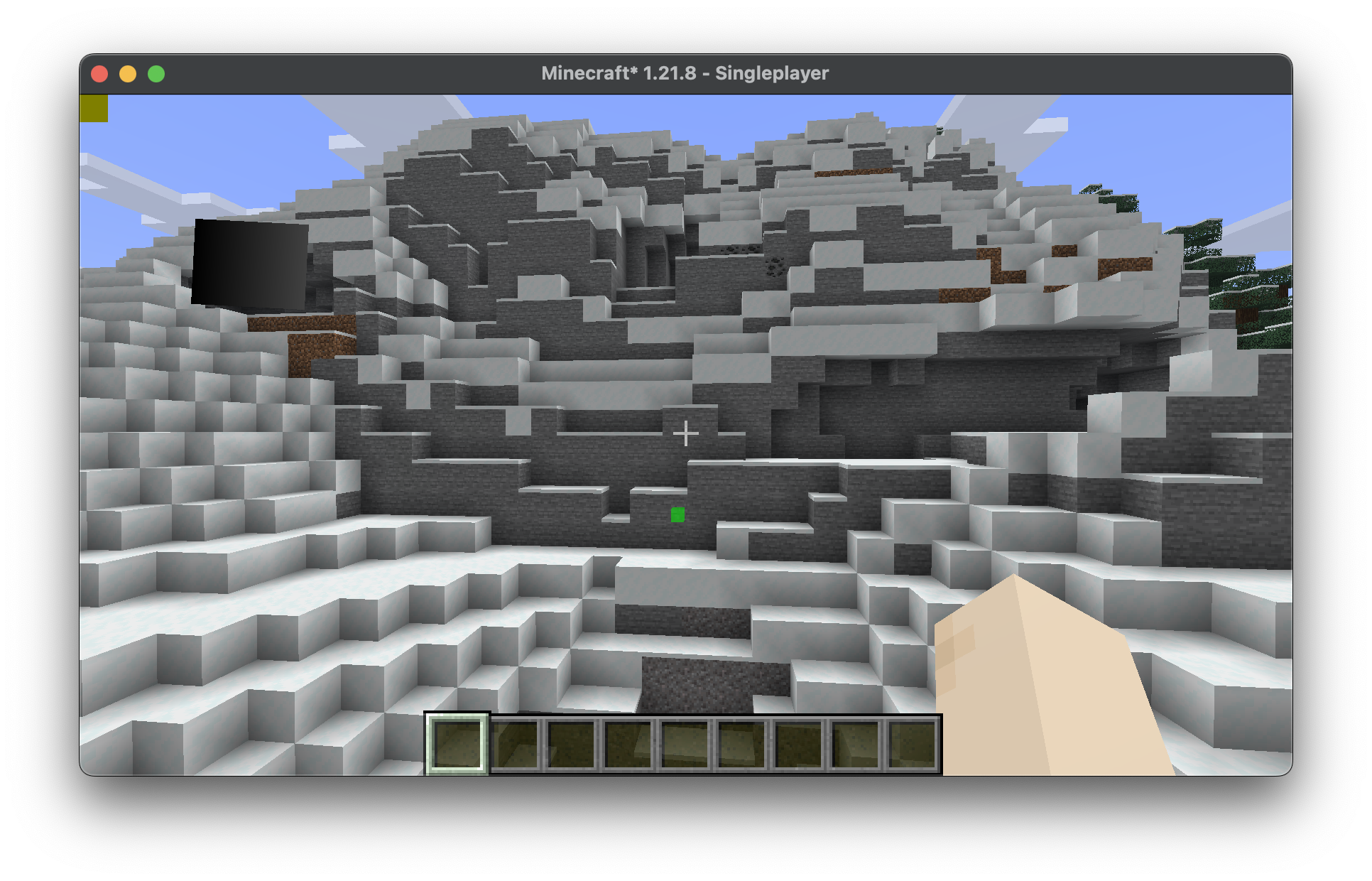
Объединив все шаги выше, получаем простой класс, который рендерит точку (waypoint) в координатах (0, 100, 0) через стены.
java
package com.example.docs.rendering;

import java.util.Optional;
import java.util.OptionalDouble;

import com.mojang.blaze3d.PrimitiveTopology;
import com.mojang.blaze3d.buffers.GpuBufferSlice;
import com.mojang.blaze3d.pipeline.RenderPipeline;
import com.mojang.blaze3d.pipeline.RenderTarget;
import com.mojang.blaze3d.systems.RenderPass;
import com.mojang.blaze3d.systems.RenderSystem;
import com.mojang.blaze3d.textures.GpuTextureView;
import com.mojang.blaze3d.vertex.PoseStack;
import com.mojang.blaze3d.vertex.VertexConsumer;
import com.mojang.blaze3d.vertex.VertexFormat;
import org.joml.Matrix4f;
import org.joml.Matrix4fc;
import org.joml.Vector3f;
import org.joml.Vector4f;

import net.minecraft.client.Minecraft;
import net.minecraft.client.renderer.RenderPipelines;
import net.minecraft.client.renderer.StagedVertexBuffer;
import net.minecraft.client.renderer.rendertype.RenderType;
import net.minecraft.resources.Identifier;
import net.minecraft.world.phys.Vec3;

import net.fabricmc.api.ClientModInitializer;
import net.fabricmc.fabric.api.client.rendering.v1.level.LevelExtractionContext;
import net.fabricmc.fabric.api.client.rendering.v1.level.LevelExtractionEvents;
import net.fabricmc.fabric.api.client.rendering.v1.level.LevelRenderContext;
import net.fabricmc.fabric.api.client.rendering.v1.level.LevelRenderEvents;

import com.example.docs.ExampleMod;

public class CustomRenderPipeline implements ClientModInitializer {
	private static final RenderPipeline FILLED_THROUGH_WALLS = RenderPipelines.register(RenderPipeline.builder(RenderPipelines.DEBUG_FILLED_SNIPPET)
			.withLocation(Identifier.fromNamespaceAndPath(ExampleMod.MOD_ID, "pipeline/debug_filled_box_through_walls"))
			.withDepthStencilState(Optional.empty())
			.build()
	);
	private WaypointRenderState waypointState;

	private static final Vector4f COLOR_MODULATOR = new Vector4f(1f, 1f, 1f, 1f);
	private static final Vector3f MODEL_OFFSET = new Vector3f();
	private static final Matrix4f TEXTURE_MATRIX = new Matrix4f();
	private static final StagedVertexBuffer stagedBuffer = new StagedVertexBuffer(() -> "Waypoints Buffer", RenderType.SMALL_BUFFER_SIZE);


	@Override
	public void onInitializeClient() {
		LevelExtractionEvents.END_EXTRACTION.register(this::extractWaypoint);
		LevelRenderEvents.AFTER_TRANSLUCENT_TERRAIN.register(this::renderAndDrawWaypoint);
	}

	private void extractWaypoint(LevelExtractionContext context) {
		// Access data from the world or anything here in the extraction phase.
		// You can only access the (immutable and thread safe) render state in the drawing phase.
		this.waypointState = new WaypointRenderState(0, 100, 0, 0f, 1f, 0f, 0.5f);
	}

	private void renderAndDrawWaypoint(LevelRenderContext context) {
		RenderPipeline renderPipeline = CustomRenderPipeline.FILLED_THROUGH_WALLS;
		VertexFormat formatBinding = renderPipeline.getVertexFormatBinding(0);

		assert formatBinding != null;

		PrimitiveTopology primitive = renderPipeline.getPrimitiveTopology();
		StagedVertexBuffer.Draw draw = stagedBuffer.appendDraw(formatBinding, primitive, primitive == PrimitiveTopology.QUADS ? RenderSystem.getProjectionType().vertexSorting() : null);

		this.renderWaypoint(context, draw);

		stagedBuffer.upload();

		StagedVertexBuffer.ExecuteInfo info = stagedBuffer.getExecuteInfo(draw);

		if (info != null) {
			draw(Minecraft.getInstance(), info, renderPipeline);
		}

		stagedBuffer.endFrame();
	}

	private void renderWaypoint(LevelRenderContext context, StagedVertexBuffer.Draw draw) {
		PoseStack matrices = context.poseStack();
		Vec3 camera = context.levelState().cameraRenderState.pos;

		matrices.pushPose();
		matrices.translate(-camera.x, -camera.y, -camera.z);

		final var builder = stagedBuffer.getVertexBuilder(draw);

		this.renderFilledBox(matrices.last().pose(), builder, this.waypointState.x(), this.waypointState.y(), this.waypointState.z(), this.waypointState.x() + 1, this.waypointState.y() + 1, this.waypointState.z() + 1, this.waypointState.r(), this.waypointState.g(), this.waypointState.b(), this.waypointState.a());

		matrices.popPose();
	}

	private void renderFilledBox(Matrix4fc positionMatrix, VertexConsumer buffer, float minX, float minY, float minZ, float maxX, float maxY, float maxZ, float red, float green, float blue, float alpha) {
		// Front Face
		buffer.addVertex(positionMatrix, minX, minY, maxZ).setColor(red, green, blue, alpha);
		buffer.addVertex(positionMatrix, maxX, minY, maxZ).setColor(red, green, blue, alpha);
		buffer.addVertex(positionMatrix, maxX, maxY, maxZ).setColor(red, green, blue, alpha);
		buffer.addVertex(positionMatrix, minX, maxY, maxZ).setColor(red, green, blue, alpha);

		// Back face
		buffer.addVertex(positionMatrix, maxX, minY, minZ).setColor(red, green, blue, alpha);
		buffer.addVertex(positionMatrix, minX, minY, minZ).setColor(red, green, blue, alpha);
		buffer.addVertex(positionMatrix, minX, maxY, minZ).setColor(red, green, blue, alpha);
		buffer.addVertex(positionMatrix, maxX, maxY, minZ).setColor(red, green, blue, alpha);

		// Left face
		buffer.addVertex(positionMatrix, minX, minY, minZ).setColor(red, green, blue, alpha);
		buffer.addVertex(positionMatrix, minX, minY, maxZ).setColor(red, green, blue, alpha);
		buffer.addVertex(positionMatrix, minX, maxY, maxZ).setColor(red, green, blue, alpha);
		buffer.addVertex(positionMatrix, minX, maxY, minZ).setColor(red, green, blue, alpha);

		// Right face
		buffer.addVertex(positionMatrix, maxX, minY, maxZ).setColor(red, green, blue, alpha);
		buffer.addVertex(positionMatrix, maxX, minY, minZ).setColor(red, green, blue, alpha);
		buffer.addVertex(positionMatrix, maxX, maxY, minZ).setColor(red, green, blue, alpha);
		buffer.addVertex(positionMatrix, maxX, maxY, maxZ).setColor(red, green, blue, alpha);

		// Top face
		buffer.addVertex(positionMatrix, minX, maxY, maxZ).setColor(red, green, blue, alpha);
		buffer.addVertex(positionMatrix, maxX, maxY, maxZ).setColor(red, green, blue, alpha);
		buffer.addVertex(positionMatrix, maxX, maxY, minZ).setColor(red, green, blue, alpha);
		buffer.addVertex(positionMatrix, minX, maxY, minZ).setColor(red, green, blue, alpha);

		// Bottom face
		buffer.addVertex(positionMatrix, minX, minY, minZ).setColor(red, green, blue, alpha);
		buffer.addVertex(positionMatrix, maxX, minY, minZ).setColor(red, green, blue, alpha);
		buffer.addVertex(positionMatrix, maxX, minY, maxZ).setColor(red, green, blue, alpha);
		buffer.addVertex(positionMatrix, minX, minY, maxZ).setColor(red, green, blue, alpha);
	}

	private static void draw(Minecraft client, StagedVertexBuffer.ExecuteInfo info, RenderPipeline pipeline) {
		GpuBufferSlice dynamicTransforms = RenderSystem.getDynamicUniforms()
				.writeTransform(RenderSystem.getModelViewMatrixCopy(), COLOR_MODULATOR, MODEL_OFFSET, TEXTURE_MATRIX);

		RenderTarget mainTarget = client.gameRenderer.mainRenderTarget();
		GpuTextureView colorTexture = mainTarget.getColorTextureView();

		assert colorTexture != null;

		try (RenderPass renderPass = RenderSystem.getDevice()
				.createCommandEncoder()
				.createRenderPass(() -> ExampleMod.MOD_ID + " example render pipeline rendering", colorTexture, Optional.empty(), mainTarget.getDepthTextureView(), OptionalDouble.empty())) {
			renderPass.setPipeline(pipeline);

			RenderSystem.bindDefaultUniforms(renderPass);
			renderPass.setUniform("DynamicTransforms", dynamicTransforms);

			// Bind texture if applicable:
			// Sampler0 is used for texture inputs in vertices
			// renderPass.bindTexture("Sampler0", textureSetup.texure0(), textureSetup.sampler0());

			renderPass.setVertexBuffer(0, info.vertexBuffer().slice());
			renderPass.setIndexBuffer(info.indexBuffer(), info.indexType());

			// The base vertex is the starting index when we copied the data into the vertex buffer divided by vertex size
			renderPass.drawIndexed(info.indexCount(), 1, info.firstIndex(), info.baseVertex(), 0);
		}
	}

	public static void close() {
		stagedBuffer.close();
	}

	// Render states should be immutable, thread safe, and fast to create.
	private record WaypointRenderState(int x, int y, int z, float r, float g, float b, float a) { }
}Не забудь добавить GameRendererMixin! Вот результат: